
Versions, drafts, and approvals
Once a resource is shared, changes to it stop being instant. Ronja stages non-admin edits and new shared resources for review, keeps a version history of what was committed, and gathers the pending work in one admin queue. This page explains the moving parts.
Edit drafts: change without touching live
Section titled “Edit drafts: change without touching live”Editing a shared note, workflow, table, or app as a non-admin never modifies the live version. Instead you get a draft — your own working copy that points at the live original. You can keep working on it privately; nobody else is affected, and it doesn’t appear in the admin Inbox yet.
One limit worth knowing: a draft of a shared note, workflow, app, module, or Saved Agent is cleared out 30 days after it was created — measured from when you started it, not from when you last touched it, so a long-running draft goes even if you are still editing it. Submit or commit work you want to keep. Table drafts and brand-new resources you haven’t published yet are not affected.
When you’re happy, you — or Ronja, in chat — Submit for review. (One draft can’t be submitted: a draft that changes the code of an older workflow — one on a runtime Ronja has retired — which can’t be approved either. The message says what differs; bring the workflow up to date first — see Create a workflow.) The draft’s status flips from Draft (“Still in progress”) to Review requested, it lands in the admin Inbox, and admins get a notification that links to it (where approvals happen). The reviewer sees a diff against the live version — for workflows that includes an AI-written change summary, a metadata delta, and the code diff — and either approves — the draft is committed (published as the new live version) — or rejects it. You can Withdraw your draft at any point — except a Saved Agent or module draft, which you finish or discard outside the Inbox (see Propose and review changes).
Admins editing a shared resource skip the queue: their change commits directly. A maintainer of the feature commits their own changes there too: in a chat Ronja applies their edit directly, and a draft they open in the browser, over the API or with the CLI they commit themselves — a table, workflow or app draft without first submitting it for review. A maintainer’s edit to a Saved Agent always starts a draft, which they then commit. Where your organization disallows self-approval, a maintainer’s own edits — in a chat too — go to review like anyone else’s.
If someone else changed it while you were editing
Section titled “If someone else changed it while you were editing”Because everyone gets their own draft, two people can edit the same workflow — or the same table — at once. The exception is a shared module, which has exactly one draft that whoever checks it out shares. If somebody commits their changes while yours are still in progress, Ronja stops your commit and asks first: Somebody else committed a new version of this workflow since this draft was created. Committing it now replaces their changes. For a workflow it also shows you which files they changed. Choose Cancel to leave everything as it is, or Overwrite to commit yours anyway and replace theirs.
Tables work the same way. Committing a table edit whose live table has moved since your draft was created is refused, and the confirmation asks Not committed — this table changed while you were editing, with Overwrite anyway beside Cancel. An admin approving somebody else’s table draft sees the same question inside the review modal, above the diff — Not approved — this table changed while you were reviewing — and the Approve button becomes Overwrite anyway. The table’s own review view already lists the versions that landed after the draft forked, so you can read what you’d be replacing before you decide.
Nothing is ever lost without you saying so. Your draft is untouched either way, and the version you’d be replacing stays in Version history — so you can look at what changed before you decide, and restore it afterwards if you overwrite something you shouldn’t have. Usually the better move is Cancel, discard your draft, start a fresh one from the updated workflow or table, and re-apply your change on top.
Choosing Overwrite anyway confirms the version you were actually shown. If somebody else commits in the seconds between reading the question and answering it, Ronja asks again with the newer version rather than replacing work you never saw.
Proposals: brand-new shared resources
Section titled “Proposals: brand-new shared resources”Creating something new in a shared feature as a non-admin produces a proposal (a maintainer’s creations in the feature they maintain go live directly instead, except a module) — the full resource, staged and shown in the Inbox as, say, “proposed as a new shared workflow”. A reviewer opens it, reads the full content (there’s nothing to diff against), and approves or rejects it — on the proposal’s own page or in the Inbox for notes, workflows and apps; Saved Agents and modules are decided elsewhere. Two rules shape who decides:
- You don’t approve your own proposal. The Inbox withholds Approve on a proposal it can see is yours — which it can for one you filed in the browser, but not for one filed with an API token. Where your organization disallows self-approval it’s refused outright, whatever credential you use, and that’s the rule to rely on.
- Notes, workflows, apps, Saved Agents and modules can be approved by an Admin, or by a maintainer of the feature the proposal is filed in.
Versions and restore
Section titled “Versions and restore”Every commit archives the previous live version into Version history. Restoring an old version never silently overwrites live: for notes, workflows, and derived tables, restore creates a new draft seeded from that version — for a note the toast reads “Draft created from this version — commit to restore” — which then goes through the normal commit path. Two exceptions restore immediately behind a confirmation: a dynamic table’s snapshots, and an app.
A dynamic table that is appended to often also gets a history entry reading compacted the files each time Ronja merges its small data files in the background. Merging does not change any rows, so there is nothing to undo. Restoring that entry is like restoring any other snapshot: the table goes back to its rows at that moment, and anything appended since is dropped. A table restored from any version is not merged again until everything in it is replaced in one write or it is emptied.
Restoring a workflow version can be refused, and the message names why. One reason: the snapshot references a table, Agent, Codex, secret or called workflow that you cannot reach and that the live workflow no longer uses. Restoring is a way of re-attaching those references, so it asks the same access question saving the workflow would. Ask an admin — who can reach them — to run the restore, or restore a version whose references you can reach. The other: the workflow is an older one, on a runtime Ronja has retired, whose code changes only once it is brought up to date — and restoring a version is a change to its code.
For an app, Version history lives on the app’s Details page, under Overview. Each entry shows who published it and when; the newest is marked published because it is what is live right now. View source opens that snapshot’s files read-only on the Source tab, and Restore replaces what is live after a confirmation. Nothing is lost either way — the version you replace stays in the list and can be restored back. If you have an unpublished draft open, publish or discard it before restoring. A restored version comes back with its own content; an app styled with Ronja’s design system comes back in that system’s current version. See Build an app.
Where approvals happen
Section titled “Where approvals happen”A request for review reaches the admins who decide it in the Notifications bell, by email, and in Slack if your organization routes it there. Each one links straight to the thing waiting for review — in an email, the last line reads Review it in Ronja (Open it in Ronja for a Saved Agent or module, whose page can’t decide it):
- A note, workflow, app, table or metric draft, or a new note, workflow or app opens on its own page. A strip at the top reads Waiting for review, with who submitted it and when. An Admin, or a maintainer of the feature, clicks Review to open the same review the Inbox opens — the diff for a draft, the full resource for a proposal — and decides it there. Whoever filed a proposal, and a non-admin who submitted a draft, see Withdraw… instead. Once a draft is decided you land on the live version it edits; an approved proposal stays on its page, now live; a rejected or withdrawn proposal takes you to the Shared features page.
- A share or scope change opens the feature’s page, where an Admin gets Review next to the Share pending (or Scope change pending) pill; clicking the pill itself offers to withdraw the request.
- A move request opens the Inbox with that request open. A move spans two features, so it has no page of its own.
- A Saved Agent or module opens its page (for a change, the live one it edits). The page has no Review, so the notification’s first paragraph says how to decide it: a Saved Agent change or proposal and a module proposal over the API, naming the call and the id; a module change from the CLI, with
ronja module cloneand thenronja module publish(orronja module discardto throw it away). See Propose and review changes.
The link keeps working after someone else has acted on it. A draft that has since been committed is now an older version: a note, app or metric shows Committed version with Open current, which takes you to the live one, and a table or workflow shows its own version banner. A draft or proposal that was rejected or withdrawn no longer exists, so its page says “It may already have been reviewed or withdrawn.” — Admins also get Open the review Inbox there.
The Inbox
Section titled “The Inbox”The Inbox sits at the top of the Shared features page. It is the one queue with everything waiting on an admin, across every kind, with filter pills for Handovers (scope changes), Content (edit drafts, new-resource proposals, and move requests), and Access requests. Use it to see what is pending without waiting for a notification.
Saved Agent and module rows are listed there but not decided there: the row opens the Saved Agent or module page, with no Approve or Reject. See Propose and review changes for where each is decided.
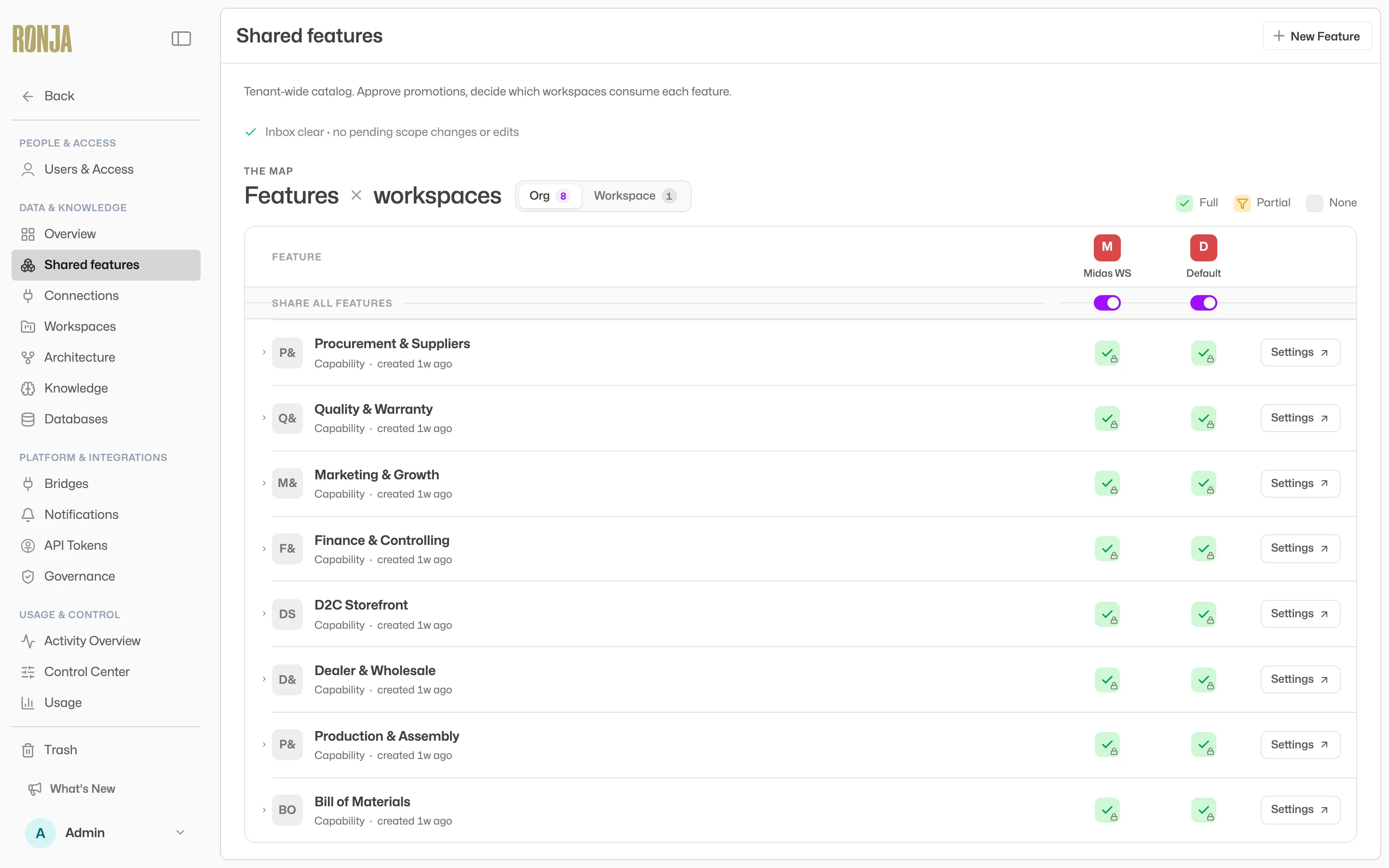 The Inbox on the Shared features page — every pending decision in one queue.
Requesters track their own side under Account → Requests: pending promotions, moves, proposals, and drafts, each with a Withdraw option — except Saved Agent and module drafts, which are listed without one — plus a history of past scope-change decisions.
The self-approval policy
Section titled “The self-approval policy”On the Organization rules page, admins can disallow self-approval. When it’s off, the rule is about the person, not the credential they happened to use: your browser session, your personal access token and your API token are all you, so you cannot approve or commit with one what you authored with another — switching credential does not make you a second person. An API token counts as the Admin who created it, so a shared team token cannot approve that Admin’s work whoever is holding it, even when the person holding it authored nothing themselves. Proposals get one extra guard that doesn’t depend on the setting, though it’s a lighter one: the Inbox withholds Approve on a proposal you filed yourself, when it can see the proposal is yours — for a proposal filed with an API token it can’t, so the policy is what holds there. Where the policy stops you, a different Admin, or that feature’s maintainer, decides it.
Two limits are worth knowing if you rely on this as a separation-of-duties control. A token created long ago, or one whose creator has since left the organization, may no longer be recognized as that person’s, so the policy may not stop it. And a token that has been deleted stops the policy the other way: while self-approval is disallowed, a draft, a proposal or a move request it filed can no longer be approved by anyone, because there’s no longer any record of who filed it. Discard the draft, or withdraw the proposal or move request, and file it again from the account that should own it. (A Saved Agent and a handover record the person rather than the credential, so neither is affected.) The same applies to the credential you’re approving with: delete the token you’re holding and it can no longer be shown to be somebody else, so sign in and decide it yourself.