
Tangents
A tangent lets you branch off an exploration to chase a side question — without cluttering or risking the main thread. The original conversation is untouched; the tangent is a private copy that’s entirely yours.
Forking
Section titled “Forking”Hover any assistant reply and click the branch icon — “Explore a tangent from here”. A menu titled “Explore a tangent in…” offers the branch’s mode: Standard, Build (if you have build access), or Deep analysis. Pick one, and you land in a new exploration containing a full copy of the conversation up to that reply.
There is a second way in. When an answer ends with suggested follow-ups, the dark branch buttons — the ones captioned “Explore this in a separate thread.” — each fork a tangent on that question, already phrased, in the mode the suggestion was made for. It is the same branch you would have made by hand; Ronja just noticed the question was worth asking.
A few things to know about the copy:
- Inherited history is visually de-emphasized, ending in a divider: “Branched from {parent} — history above is inherited”. Everything below it is the tangent’s own.
- Tangents are born untitled. The branch names itself from its own first prompt, just like any exploration — and until you’ve prompted it, it appears only in the branch navigation, not your sidebar lists.
- A Deep-analysis tangent starts with a blank Methodology — it designs its own investigation rather than inheriting the parent’s.
- An inherited inline app still belongs to the conversation you branched from. The frame travels with the copied reply and works for you. Someone shared only on the branch, and not on its parent, gets This app is not available. in its place — the app is the parent’s, and sharing the branch does not share it. Ask for a change to it in the branch and the branch gets its own copy, which then opens for them; the original is untouched either way.
- Charts in the copied history still belong to the conversation you branched from. A chart drawn inside an Answer travels with the copied reply and opens normally. The chart itself doesn’t: if someone was shared on your tangent but not on its parent, the inherited chart’s own step shows This chart is no longer available or isn’t shared with you, and a link made with Copy link to chart won’t open its page for them either — until the parent is shared too. Charts the tangent makes for itself open for them normally.
You only need view access to the source to fork — so you can branch off a teammate’s shared exploration without touching their thread. That access has to come from the conversation being yours, shared with you, or filed in a project you belong to: a conversation you read only as an administrator, or through the automation or Saved Agent that ran it, has no branch buttons. The branch is not private from them, though: a tangent inherits access from the whole chain above it, so anyone who can reach the conversation you forked from can reach your branch too.
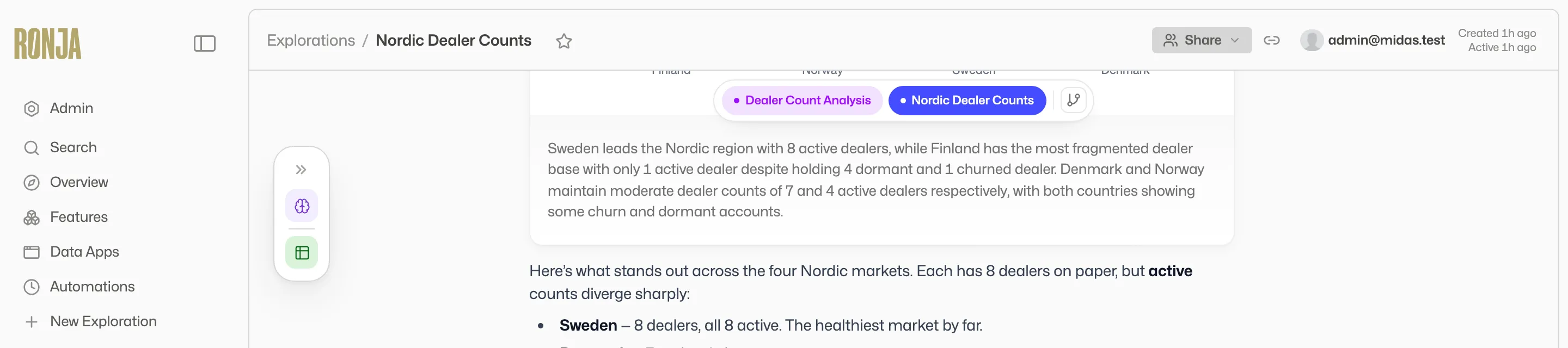 Inside a tangent: the breadcrumb of branch pills sits above the thread, and the Summarize & return call-to-action waits at the bottom.
Navigating a family of branches
Section titled “Navigating a family of branches”Once an exploration has more than one branch, a breadcrumb of lane-colored pills floats above the thread — one per branch you can open, with the current one filled solid. A pill pulses while its branch is streaming and bolds when it has unseen output.
For the full picture, click the branch-tree icon next to the pills to open the Branches panel: a git-style graph of the whole family, one dot per turn, with dashed curves marking returns. Clicking a dot jumps to that turn. In the parent, forked-from messages carry a marker — “Tangent branched from here” — with chips that open each tangent.
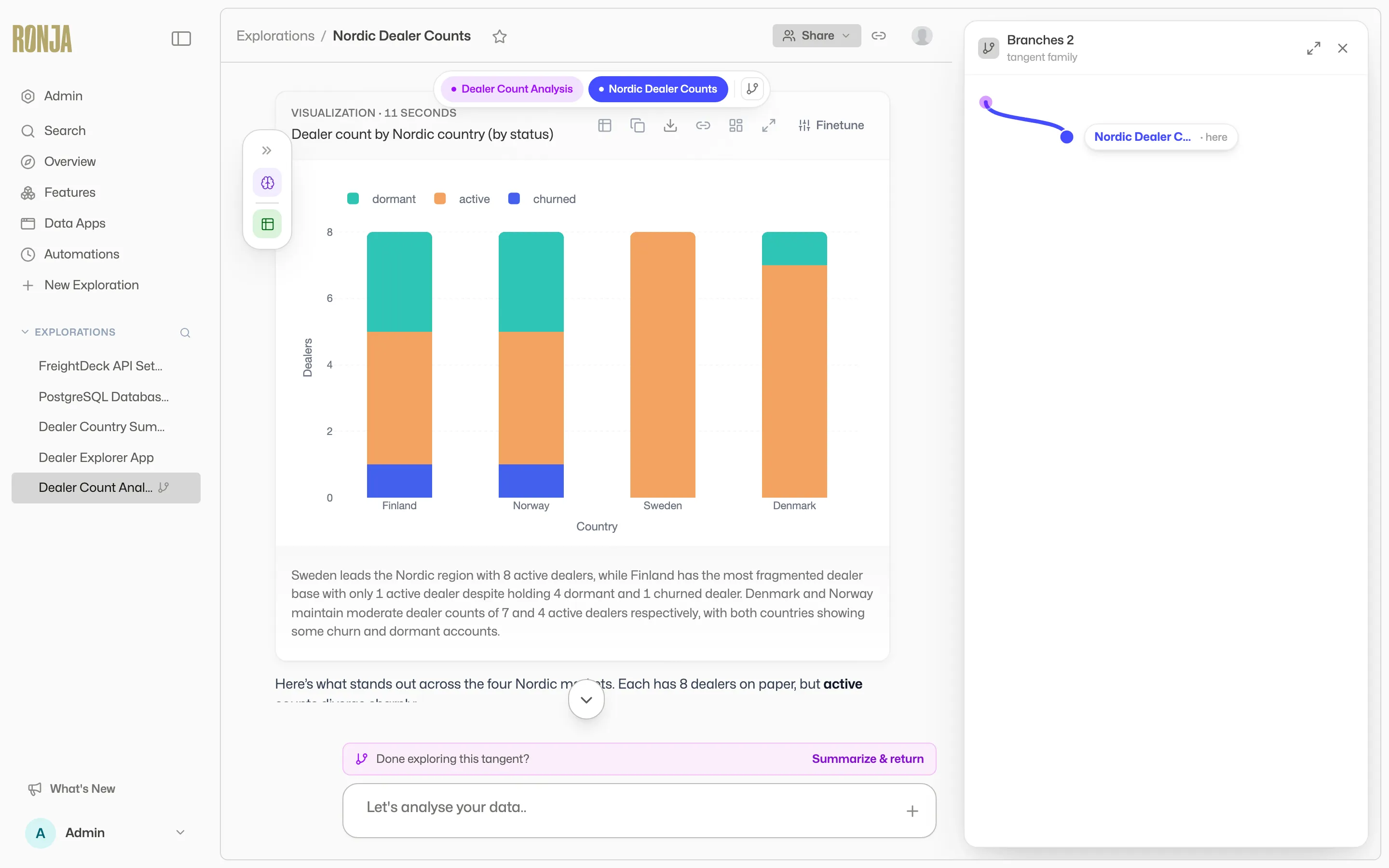 The Branches panel: a git-style graph of every branch in the family, so you can see where each one split off and jump between them.
Branch views are access-filtered: branches you can’t open (someone else’s private tangent, for example) are simply not shown.
Folding findings back in
Section titled “Folding findings back in”When a tangent pays off, bring the result home. Above the composer — shown when you can write to the parent — sits “Done exploring this tangent?” with the button “Summarize & return”.
The modal drafts a summary for you: Ronja re-reads the tangent and writes a handoff report (“Reading back through this tangent to draft a summary…”). This takes a few seconds, and the confirm button reads “Drafting summary…” and stays disabled until the draft arrives. You then edit it — toggle Edit/Preview — and, if the family has several ancestors, choose the “Fold into” target. Click “Fold in”.
The summary lands in the target as a collapsed card headed “Merged: {tangent title}”, with a status badge, a “View branch” link back to the tangent, and the full report behind a chevron. The main conversation’s agent can build directly on it.
Nothing forces a return, though. A tangent that didn’t pan out can simply be left — or deleted like any exploration.