
How Ronja learns
Ronja doesn’t just read your tables — she works from what your organization has written down about itself. That understanding lives on a few named surfaces, each with its own scope and audience. Every one of them is authored: somebody writes it, and you can see and change what is there.
| Surface | Scope | Best for |
|---|---|---|
| Your policy | You | How you want Ronja to work — your standing rules |
| Organization policy | The whole organization | Org-wide rules everyone’s answers should follow |
| Notes | One feature | Procedures and facts about that feature’s data |
| Data dictionary | One table | What each table and column means |
| Knowledge | The whole organization | What Ronja recorded for herself before policies. Still read, no longer added to — correct what is wrong, move rules into the organization policy |
The split that matters: a policy holds rules for how to work, kept short and read in every conversation. Everything else holds knowledge — what your data means — and is read when it’s relevant. A good policy line often points at a note rather than repeating it.
Ronja does not write any of these on her own. She can add a rule to a policy or write a note when you ask her to, and shows you what she wrote; nothing is recorded behind your back. That is the change worth knowing: she used to build up Knowledge and personal memory in the background, and she has stopped.
Policies: the standing rules
Section titled “Policies: the standing rules”A policy is a short document Ronja is given at the start of every conversation. There are two of them, and every conversation carries both:
- Your policy — your own preferences, reached from the account menu. “Report amounts in SEK.” “Prefer tables over charts.”
- Organization policy — the rules that hold for the whole company, written by admins under Data & Knowledge → Organization policy. It also applies to every automation, including the ones that run overnight. Where the two disagree, the organization policy wins.
You edit both directly — type, save, done — and Ronja can add a rule herself when you state a lasting preference in a conversation, showing you what she changed with an Undo beside it. See Policies.
Notes: teach Ronja within a feature
Section titled “Notes: teach Ronja within a feature”A note is a document attached to a feature. Notes come in two kinds, shown as two lanes on the feature page:
- Skills teach Ronja a task — a runnable procedure, like “how we build the weekly revenue report”.
- Knowledge notes are reference material about that feature’s data — how a table behaves, how a metric is actually calculated, known caveats.
There is no “New note” button anywhere: you create and edit notes by asking Ronja in an exploration. She writes the note, opens it beside the chat for you to read, and from then on loads it automatically whenever a request touches that topic. On shared features, note edits go through drafts and review like any other shared resource. See Write notes.
The data dictionary: what your data means
Section titled “The data dictionary: what your data means”The data dictionary is the per-table layer: the descriptions and metadata that tell Ronja what a table and its columns actually represent. Its Columns view lists per-column statistics — Field, Type, Rows, Missing, Cardinality, Examples. Good descriptions here change answer quality directly, because they’re what Ronja consults when deciding which data answers a question. See Maintain the data dictionary.
Organization Knowledge, and what changed
Section titled “Organization Knowledge, and what changed”Knowledge is Ronja’s organization-wide base: KPI definitions, business rules, terminology, fiscal calendars — written largely by Ronja herself as she worked. She still reads it in every conversation, and it still shapes the answers your organization gets.
What changed is that nothing new is added to it as Ronja works. Nothing from a conversation is recorded there any more, and no new entry can be created — not from a chat, not from the Knowledge page, not through the API. New org-wide rules belong in the organization policy, where a person writes them and everyone can see them; the facts behind them belong in notes, the data dictionary and codexes.
What is already there stays live, so it is worth reading — and it is still correctable. Open Data & Knowledge → Knowledge, click Curate in chat, and tell Ronja what is wrong: she can fix an entry or retire one that has stopped being true. She just cannot add a new one.
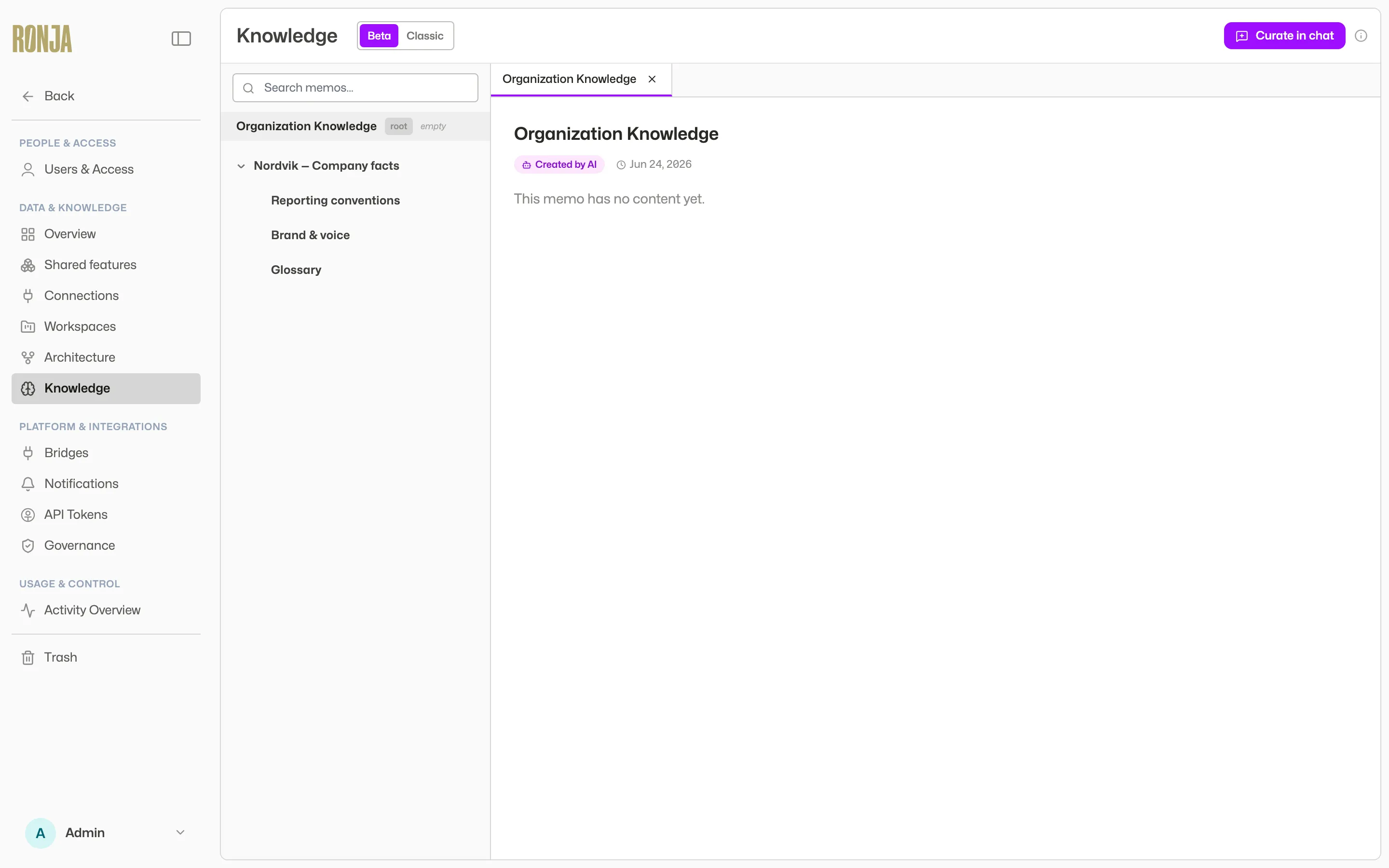 Organization Knowledge: browse the tree, correct what is out of date, and move standing rules into the organization policy.
Everyone can browse it. See Curate Knowledge.
The Memory tab on your account page — the notes Ronja kept about you personally — works the same way. She still reads it in your conversations, and no longer adds to it. Anything you want her to follow from now on goes in Your policy, which also shows your memory read-only under What Ronja remembers about you so you can copy across what is worth keeping. See Policies.
Choosing the right surface
Section titled “Choosing the right surface”- “Always exclude internal test accounts” → the organization policy — an org-wide rule that applies everywhere. (The currency you report in is not one of these — it has its own setting; see organization settings.)
- “Active revenue is net of refunds, computed from these columns” → a knowledge note in that feature.
- “I personally prefer tables over charts” → Your policy.
- “For revenue questions, read the revenue definitions note first” → also a policy line: the rule says when to read, the note holds what it says.
For the Note-vs-Knowledge distinction in one place, see What’s the difference?.