
Your first conversation
Ronja works through conversations called explorations. You ask a question; Ronja finds the data, does the work, and answers with real numbers. This page walks you through your very first one.
Sign in
Section titled “Sign in”- Open Ronja and sign in with your work account.
- The first time, you’ll see a Before we begin screen. Review the terms, tick the checkbox, and click Accept and continue.
- If Ronja asks, pick your organization on the Select your organization screen. When you belong to several, you can search the list or sort it by Name, Most members or Recently active.
If you see What would you like to get done?, describe a task or choose Build a team app, Automate routine work, or Keep work moving. Choosing an idea fills the message box so you can edit it. Click the up-arrow Start chat button to open your conversation, or choose Explore first to close the welcome and look around first. The Close button (×) in the top corner and the Esc key do the same as Explore first, and the welcome does not come back on its own; reopen it with Setup in the sidebar. You do not need to choose a role, language, or website before starting.
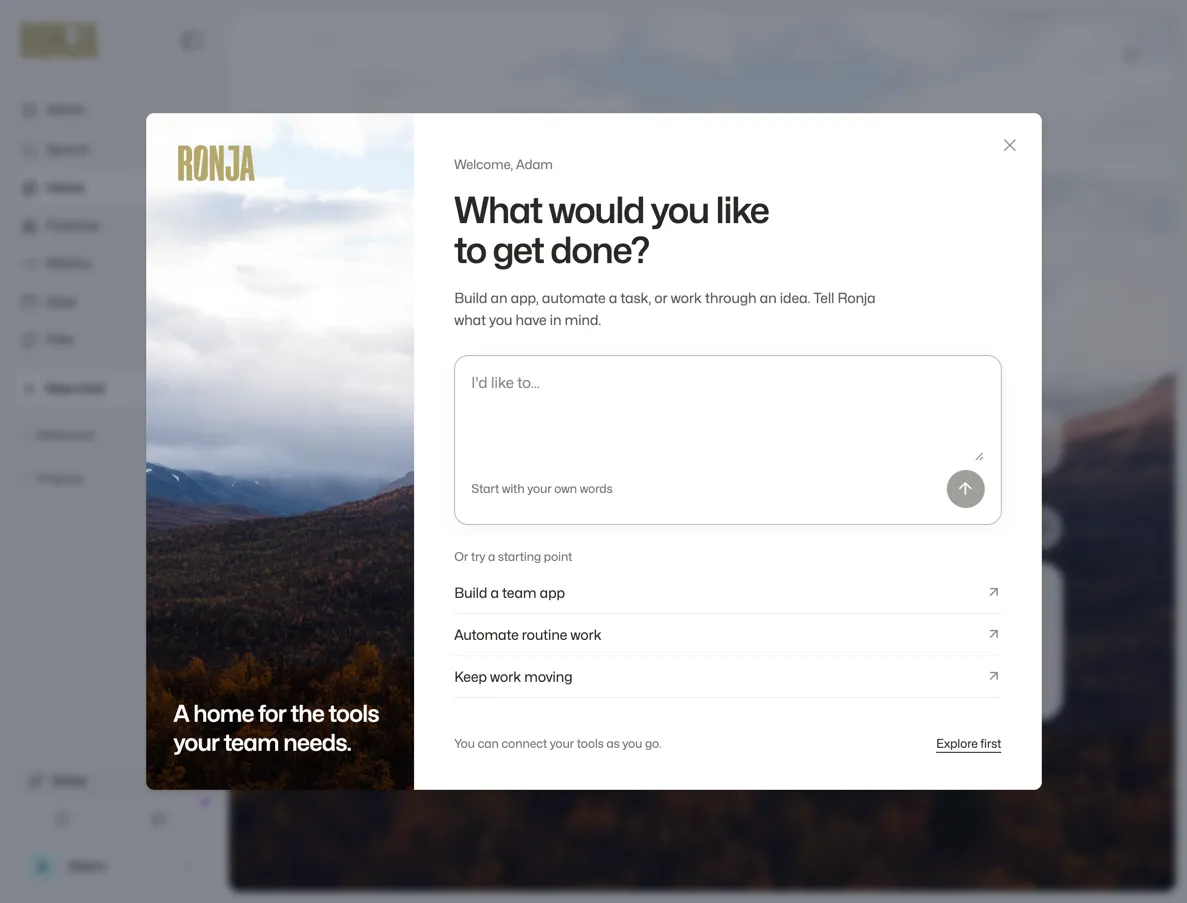 Describe your first task, choose an idea, or explore Home first.
On the home page, under What would you like to work on?, the composer reads “Ask anything…”.
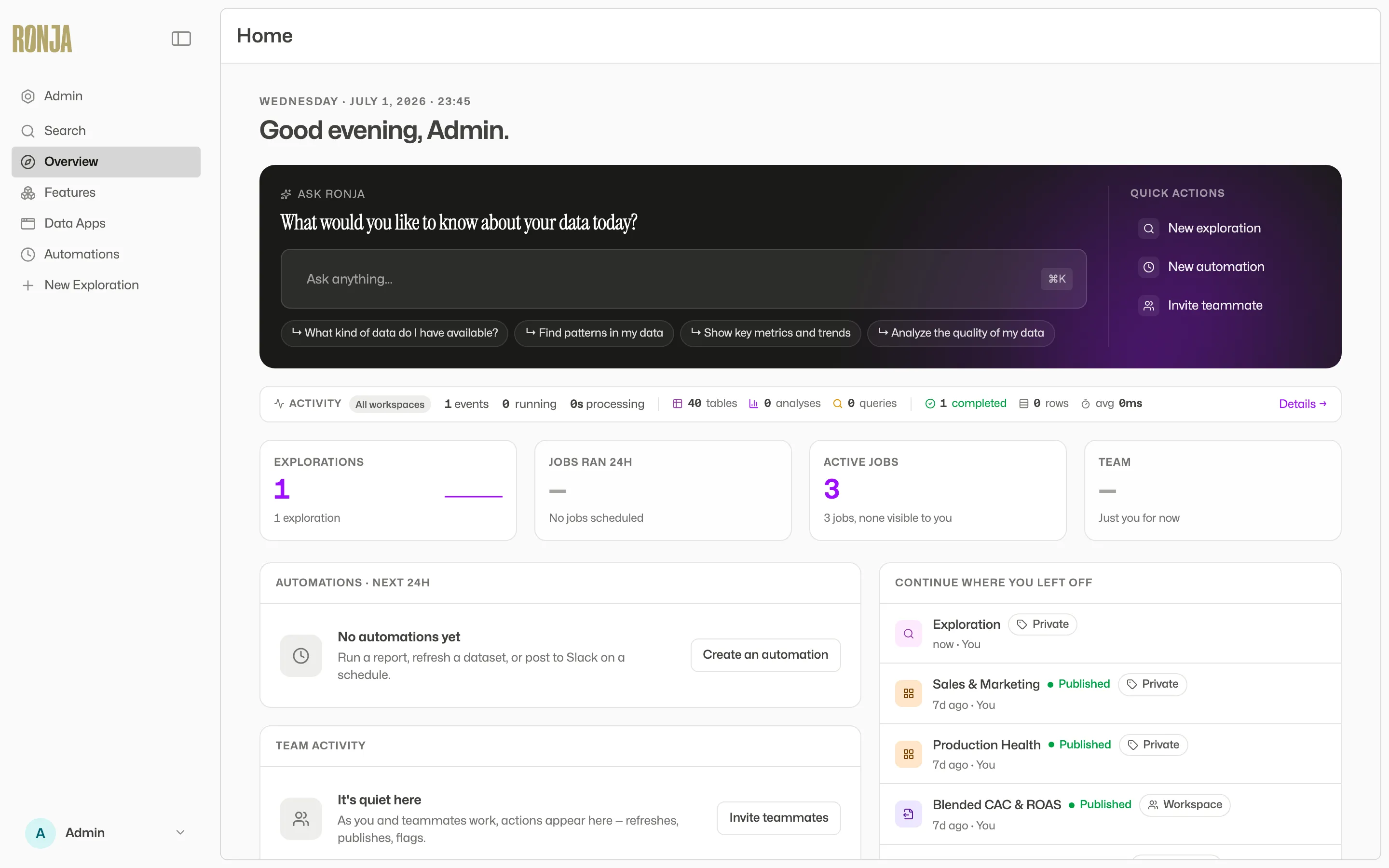 The home page — your first question starts here.
On a phone
Section titled “On a phone”Below 768 CSS pixels wide, Ronja shows Chat and Apps tabs at the bottom instead of the desktop sidebar. This also applies to narrow desktop windows.
In Chat, write in I’d like to… and tap the send arrow, or choose New chat beside Your conversations. Open an existing conversation from the list. Inside a chat, the Chat actions menu (•••) contains favorites, sharing, copy link and comments; sharing is available to the chat owner. Use the back arrow to return to the list.
Apps shows the apps you can access, with a search field. Account and organization controls are in the header of these two tabs. While typing with the phone keyboard, the bottom tabs hide to leave room for the conversation.
The steps below describe the desktop home page.
Ask your first question
Section titled “Ask your first question”- Type a question into Ask anything…, such as “What kind of data do I have available?”.
- If your question is about something you have to hand, attach it first: drop files onto the composer, paste a screenshot or image straight into the box, or use the + button to pick a file or a table. Each attachment appears as a chip above the box (× removes it) and goes into the conversation with your question.
- Press Enter, or click the button labeled “Start chat” at the bottom right of the box — after using the + button your cursor is no longer in the box, so the button is the surer way. Ronja shows “Opening chat…”, then takes you into a fresh exploration where your question — and anything you attached — is submitted automatically.
Two other ways to start a conversation, from anywhere in the app:
- Click New chat in the sidebar.
- Press ⌘E (Ctrl+E on Windows).
Either way, a new exploration opens on its start screen — “What would you like to work on?” — with four example prompts you can click, like “Give me an overview of the data”.
Read the answer
Section titled “Read the answer”Ronja doesn’t just reply — it shows its work:
- A collapsible work block headed “Thought for {time} · {N} steps” contains the steps Ronja took: the tools it ran and its reasoning between them — one block for the whole stretch of work, however many steps it took (a line of prose or a card in the middle of a reply starts a fresh block, and when no tool ran the heading is just “Thought for {time}”). Expand it whenever you want to see how an answer was produced.
- While Ronja is still working, the steps she has finished fold into that block and the step in progress sits below it under a Thinking heading, with its step count and a running clock. Some single steps take a while, and during one of those nothing new appears on screen — after about 12 seconds the heading adds what she is still doing, such as still writing an app file, and it clears as soon as the next step lands. More on this in The agent.
- In Standard and Deep analysis mode, a substantive final answer arrives below the work block as a titled, laid-out answer rather than run together as prose. It builds as Ronja writes it: the title and the key figures first, then the rest. A short exchange stays plain text — as does every reply in Build mode, the output of a Saved Agent or automation run, and anything Ronja answers in Slack or Microsoft Teams.
- Depending on the question, it holds the key figures across the top, a chart beside the sentences explaining it, a Caveats strip, a collapsed How this was computed holding the exact queries behind the numbers, and a Sources line naming every table the answer used, with its row count and when it was last updated — badged stale, build failed, not updating or needs rebuild when one can’t be trusted as current.
- On a computer, hover a source in that Sources line to see what the table is, in one sentence, without opening it; when a source is badged build failed, the reason reads there too. On a touch screen there is no hover, so the reason reads under the source instead.
- Hover a chart in the answer for a small toolbar in its top-right corner. Show table flips it to the numbers behind the picture (Show chart flips back), and once you’re on the table — or the block was one already — Compact density fits more rows on screen. Where Ronja attached the rows, Copy table for Slack/Notion copies them to your clipboard and Download saves the chart as an Image or the rows as CSV.
- To change a chart — a different chart type, only the top ten, or the numbers as a table — ask in the same conversation. The changed chart is a new chart Ronja draws, appearing below the first one; the chart already drawn stays as it is, the record of what was said. Each chart has its own page (Copy link to chart, below), showing that chart — except a chart drawn from a question that read a managed database live, which is shown in the conversation but not saved, so it has no page and no link.
- Asking to work the data yourself instead — filter it, pick a period, move a slider — comes back as a different thing: an inline app, a small interactive app Ronja writes into the conversation for you to poke at, rather than another chart. A picture you can’t touch is the wrong answer to “can I see this by region?”.
- The same toolbar shares one chart on its own: Copy link to chart copies a link to it on its own page (you’ll see Link copied), and Expand lifts it over the conversation. Close it with Collapse, a click outside, or Esc. A chart link opens for the people who can open the conversation it was made in, and — once that conversation has been deleted — for whoever made the chart and for administrators. Anyone else who follows it sees Chart not found or you don’t have access.
- Where the data behind a bar chart holds more than one value for the same bar, Ronja draws each of those values as its own bar, side by side, and adds a short amber note under the chart’s horizontal axis — N of M bars hold more than one value — each is drawn as its own bar — so a bar is never a hidden total. The extra bars carry the colour of the series they came from, except on a chart that shades its bars by a number, where each keeps its own shade. A stacked bar chart is the one exception to the whole behaviour: stacking is its point, so the values stay in one bar. If you meant one value per bar, ask Ronja to total or average the values per category, or to filter the data down to one row per bar.
- A chart shows what the data holds and nothing it doesn’t. In a stacked bar the signs stay apart, so a negative segment — a refund, a write-off — hangs below the zero line instead of adding to the bar it reduces. A key figure with no value at all, such as a total over no matching rows, reads as a dash rather than 0, and shows no comparison. A target or threshold line crosses the value axis whichever way the bars run, and on a chart with a second value axis on the right it can be drawn against that one.
- Suggested follow-ups sit at the bottom in two groups. The chips under Continue here ask the next question in this conversation — clicking one sends it as your next message, exactly as it reads. The dark branch buttons below them (“Explore this in a separate thread.”) fork a tangent for a side question instead. Both save you the retyping; only the second starts a new thread.
- Anything Ronja touched — a table, a workflow, an app, a note — appears as a small reference pill. Click a pill to open that resource in a side panel without leaving the conversation.
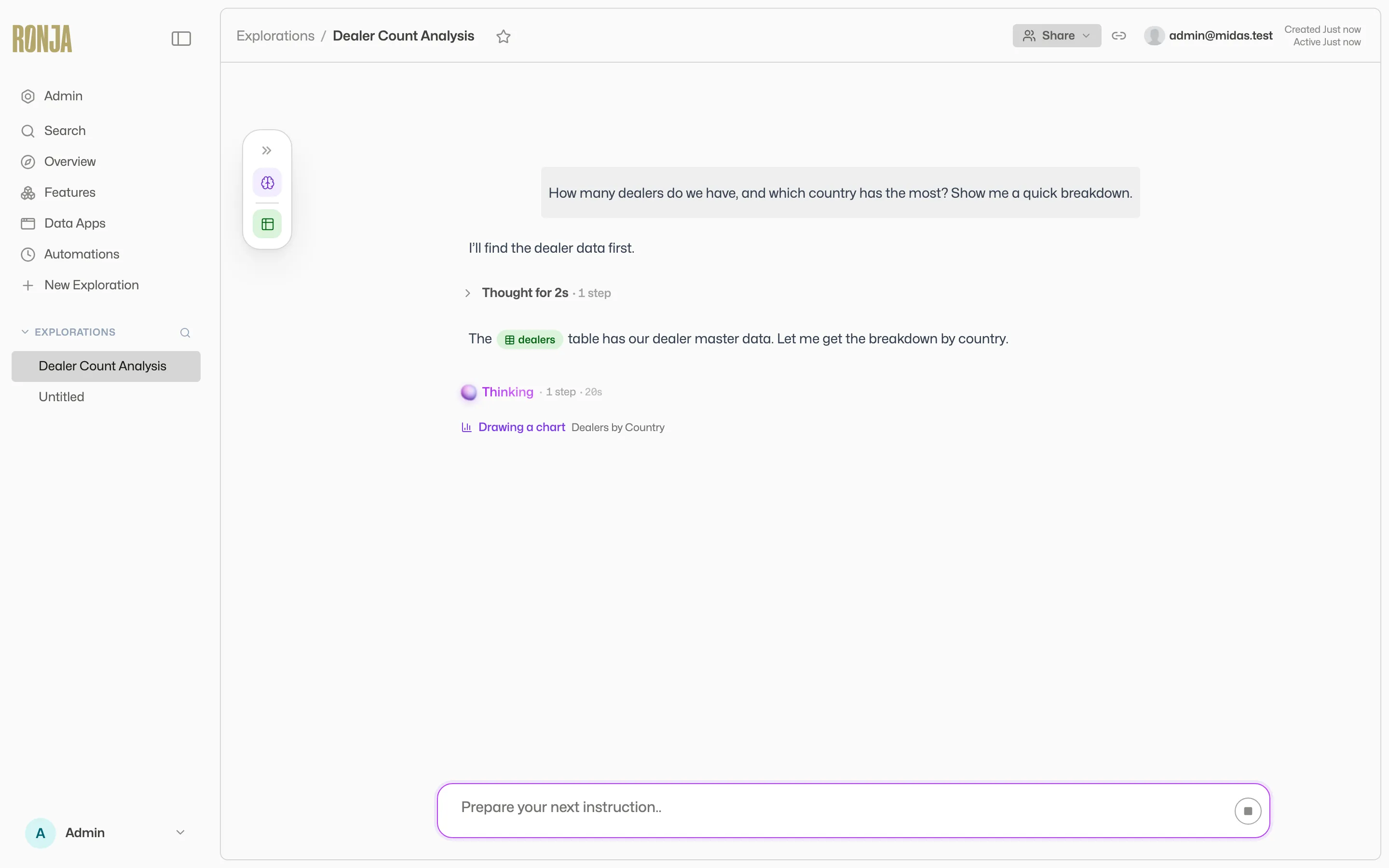 Every answer shows its working: expand the work block for the steps, or How this was computed for the queries.
While Ronja is naming your conversation from the first question, the title shows a brief “naming…” shimmer — no need to name it yourself.
Keep the conversation going
Section titled “Keep the conversation going”- Type a follow-up in the composer (its placeholder reads “Message Ronja…”). On desktop, Enter sends and Shift+Enter adds a new line. On mobile, Return adds a new line; tap the send arrow to submit.
- If Ronja is still working, you can line up exactly one next prompt: the send button becomes Queue, and your prompt docks above the composer as Up next until the agent is free.
- To interrupt, click the round stop button (“Stop generating”).
- If an answer misses the mark, click the thumbs-down on it — “Not happy with this response”. Ronja posts a flag in the thread and immediately analyzes what went wrong, so you can correct course together.
Where your conversations live
Section titled “Where your conversations live”Your recent explorations appear in the sidebar under Chats. Conversations others have shared with you appear under Shared. Each section initially shows six recent conversations, with Show more to expand the list. Show less keeps your current conversation in the list if it was included in the expanded section. Hover a row for quick actions: star it to pin it under Favorites (up to 10), or use the row menu to Rename, Share…, or Delete a conversation you own.
Explorations are private until you share them — read more in Explorations.
Next step
Section titled “Next step”Now that you’ve met the agent, take a tour of Ronja to learn where everything lives.